
Building a Multi-Step Job Application Form Taught Me Livewire’s Biggest Gotcha
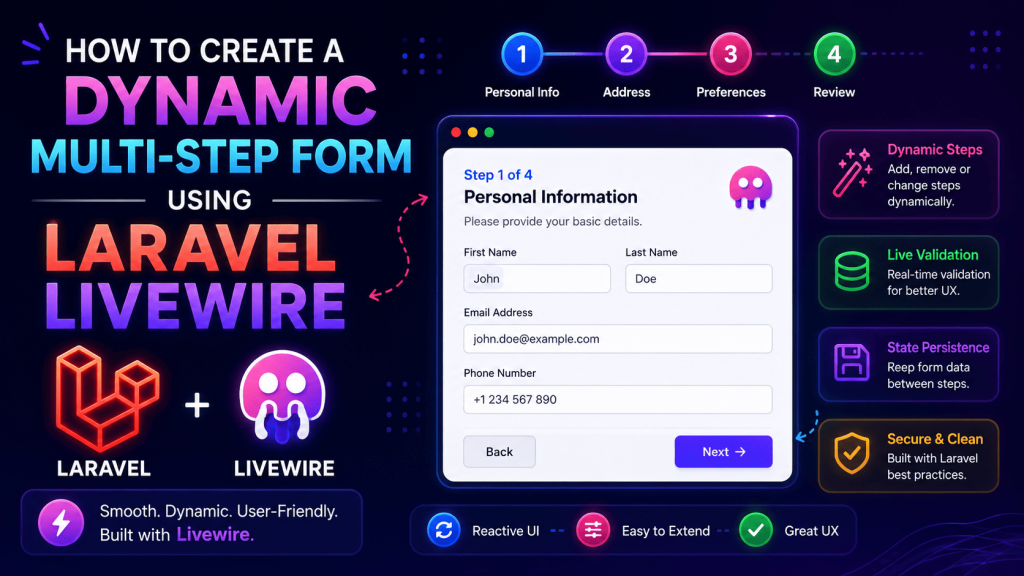
A recruitment agency client wanted a job application form on their site, but not a boring single-page form. They wanted it broken into steps: personal details, work experience, education, then document upload, with a progress bar at the top so applicants knew how far along they were.
Sounds simple enough, right? I thought so too, until I actually sat down to build it.
My first attempt used plain Blade with sessions to store data between steps, refreshing the whole page every time someone clicked “next.” It technically worked, but it felt clunky, slow, and honestly a bit dated compared to what modern forms feel like. That’s when I switched to Livewire, and multi-step forms became one of my favorite things to build with it.
But I still managed to mess it up in a pretty embarrassing way during testing, more on that in a bit. Let’s go through exactly how I built this, mistakes included.
Why Livewire Actually Fits Multi-Step Forms So Well
The biggest advantage is that your entire form lives inside one component, but you control what’s visible using a simple step counter. No page reloads, no losing form data between steps because of a refresh, and validation can happen per-step instead of dumping every single error at the very end after someone’s already filled out four sections.
For the recruitment client specifically, this mattered because their old form (built by a previous developer using plain HTML and jQuery validation) would sometimes lose everything if someone accidentally hit refresh. Livewire keeping state properly across steps solved that annoyance completely.
Step 1: Setting Up the Component
php artisan make:livewire JobApplicationFormI started with a simple step tracker and grouped properties by section:
class JobApplicationForm extends Component
{
    public $step = 1;

    // Step 1 - Personal Details
    public $fullName;
    public $email;
    public $phone;

    // Step 2 - Work Experience
    public $currentCompany;
    public $yearsExperience;

    // Step 3 - Education
    public $qualification;
    public $university;

    // Step 4 - Documents
    public $resume;

    public function nextStep()
    {
        $this->validateStep();
        $this->step++;
    }

    public function previousStep()
    {
        $this->step--;
    }

    public function render()
    {
        return view('livewire.job-application-form');
    }
}
Step 2: Validating Each Step Separately
This is where I made my first real mistake. Initially, I put all validation rules in one giant rules() method covering every field across all four steps. The problem was obvious the moment I tested it, if someone was only on step 1, Livewire would still try validating step 3 and 4 fields that hadn’t been filled yet, throwing errors for fields the user hadn’t even seen.
The fix was splitting validation logic based on the current step:
protected function validateStep()
{
    if ($this->step == 1) {
        $this->validate([
            'fullName' => 'required|string|min:3',
            'email' => 'required|email',
            'phone' => 'required|digits_between:10,15',
        ]);
    }

    if ($this->step == 2) {
        $this->validate([
            'currentCompany' => 'required|string',
            'yearsExperience' => 'required|numeric|min:0',
        ]);
    }

    if ($this->step == 3) {
        $this->validate([
            'qualification' => 'required|string',
            'university' => 'required|string',
        ]);
    }
}
This alone fixed a huge chunk of frustration. Each step only validates what’s actually relevant to it, which feels way more natural for anyone filling out the form.
Step 3: The Blade View With Conditional Steps
<div>
    <div class="mb-6">
        <div class="flex justify-between text-sm text-gray-500">
            <span>Step {{ $step }} of 4</span>
        </div>
        <div class="w-full bg-gray-200 rounded h-2 mt-2">
            <div class="bg-blue-500 h-2 rounded" style="width: {{ ($step / 4) * 100 }}%"></div>
        </div>
    </div>

    @if ($step == 1)
        <input type="text" wire:model="fullName" placeholder="Full Name">
        @error('fullName') <span class="text-red-500">{{ $message }}</span> @enderror

        <input type="email" wire:model="email" placeholder="Email">
        @error('email') <span class="text-red-500">{{ $message }}</span> @enderror

        <input type="text" wire:model="phone" placeholder="Phone Number">
        @error('phone') <span class="text-red-500">{{ $message }}</span> @enderror
    @endif

    @if ($step == 2)
        <input type="text" wire:model="currentCompany" placeholder="Current Company">
        @error('currentCompany') <span class="text-red-500">{{ $message }}</span> @enderror

        <input type="number" wire:model="yearsExperience" placeholder="Years of Experience">
        @error('yearsExperience') <span class="text-red-500">{{ $message }}</span> @enderror
    @endif

    <div class="flex justify-between mt-6">
        @if ($step > 1)
            <button wire:click="previousStep">Back</button>
        @endif

        @if ($step < 4)
            <button wire:click="nextStep">Next</button>
        @else
            <button wire:click="submit">Submit Application</button>
        @endif
    </div>
</div>
That progress bar calculation, ($step / 4) * 100, is a tiny detail but it makes a real difference in how “finished” the form feels to actually use. Applicants could see exactly how much was left instead of wondering if there were five more sections coming.
Step 4: Handling File Uploads (Where I Actually Got Stuck)
The document upload step gave me more trouble than the rest of the form combined. My first attempt just used a plain file input with wire:model, expecting it to behave like a normal form field. It worked for tiny files during testing, but the moment I tried uploading an actual resume PDF around 2MB, it just hung.
Turns out Livewire handles file uploads a bit differently than regular properties. You need the WithFileUploads trait:
use Livewire\WithFileUploads;

class JobApplicationForm extends Component
{
    use WithFileUploads;

    public $resume;

    public function submit()
    {
        $this->validate([
            'resume' => 'required|file|mimes:pdf,doc,docx|max:2048',
        ]);

        $path = $this->resume->store('resumes', 'public');

        // Save application with $path
    }
}
And in the Blade view:
<input type="file" wire:model="resume">
@error('resume') <span class="text-red-500">{{ $message }}</span> @enderror

<div wire:loading wire:target="resume">Uploading...</div>
That wire:loading wire:target="resume" line matters more than it looks. Without it, users had zero feedback while their file was uploading, and a few actually clicked submit multiple times during testing because they assumed nothing was happening. Adding a visible “Uploading…” message fixed that confusion completely.
Step 5: The Embarrassing Mistake I Made During Testing
Here’s the part I mentioned earlier. I demoed the form to the client over a video call, clicked through all four steps smoothly, submitted it, everything looked perfect. Then the client tried it themselves and got stuck on step 2 with no way to go back, because I’d hidden the “Back” button using @if ($step > 1) correctly, but forgot that refreshing the browser mid-form reset the entire component back to step 1, wiping every field they’d already filled in.
I hadn’t persisted any of the data outside the component’s in-memory state. The moment someone refreshed, accidentally or not, everything vanished.
The fix was storing progress in the session as a backup:
public function mount()
{
    $this->step = session('application_step', 1);
    $this->fullName = session('application_fullName');
    $this->email = session('application_email');
    // ...repeat for other fields
}

public function nextStep()
{
    $this->validateStep();
    $this->step++;
    $this->saveProgress();
}

protected function saveProgress()
{
    session([
        'application_step' => $this->step,
        'application_fullName' => $this->fullName,
        'application_email' => $this->email,
        // ...repeat for other fields
    ]);
}
Not the most elegant solution, and if I rebuilt this today I’d probably store partial applications directly in the database instead of relying on session data, especially since sessions can expire. But for that project’s timeline, this fixed the immediate problem and the client never ran into it again.
Common Mistakes to Avoid
Validating the entire form at once instead of per step. I mentioned this already, but it’s worth repeating because it’s the single biggest thing that makes multi-step forms feel broken if done wrong.
Forgetting wire:key when steps involve loops. If any step displays a dynamic list (like multiple work experience entries), always add wire:key to avoid Livewire getting confused about which DOM element belongs to which data.
Not handling browser refresh or back button behavior. Test this specifically. It’s an easy thing to overlook since it works fine as long as you personally never hit refresh during your own testing.
Skipping loading indicators on file uploads. Users on slower connections, and there were definitely a few based on this client’s applicant demographic, need visible feedback that something’s actually happening, or they’ll assume the form is broken and try clicking submit repeatedly.
Not limiting file size properly on both frontend and backend. I only validated file size on the backend initially, which meant users didn’t know their file was too large until after waiting for the entire upload to fail. Adding a note near the upload button stating the size limit upfront (in this case, 2MB max) saved a lot of confused follow-up emails from applicants.
Where This Pattern Comes In Handy Beyond Job Forms
Since building this, I’ve reused the same multi-step approach for:
- A hospital’s patient intake form, broken into personal details, medical history, and insurance information
- An event registration form with attendee details, ticket selection, then payment
- A rental property application with tenant details, employment verification, and document uploads
Every one of these benefits from the same core idea, breaking a long, intimidating form into digestible chunks feels far less overwhelming than one giant page with fifteen fields staring back at you.
Final Thoughts
Multi-step forms in Livewire ended up being way less complicated than I originally expected, once I got past that early validation mistake and the file upload confusion. The actual logic is mostly just a step counter and some conditional Blade sections, nothing especially advanced.
If you’re building something similar, start with just the step navigation and basic fields working first. Get people moving between steps smoothly before you add file uploads or session persistence. And definitely test the refresh and back button scenario yourself before showing it to a client, learn from my slightly awkward video call moment instead of repeating it.